Git Author Identity Switcher
VS Code extension:
It manages per-repository Git identities, GitHub SSH aliases, remote switching, and safety warnings instead of relying on manual terminal setup
Git Author Switchboard is a VS Code extension I developed to solve a common problem faced by developers who work with multiple Git and GitHub accounts on the same machine. A developer may use one identity for personal projects, another for client work, and another for company repositories. Managing these identities manually through Git configuration, SSH keys, and remote URLs can be confusing and risky.
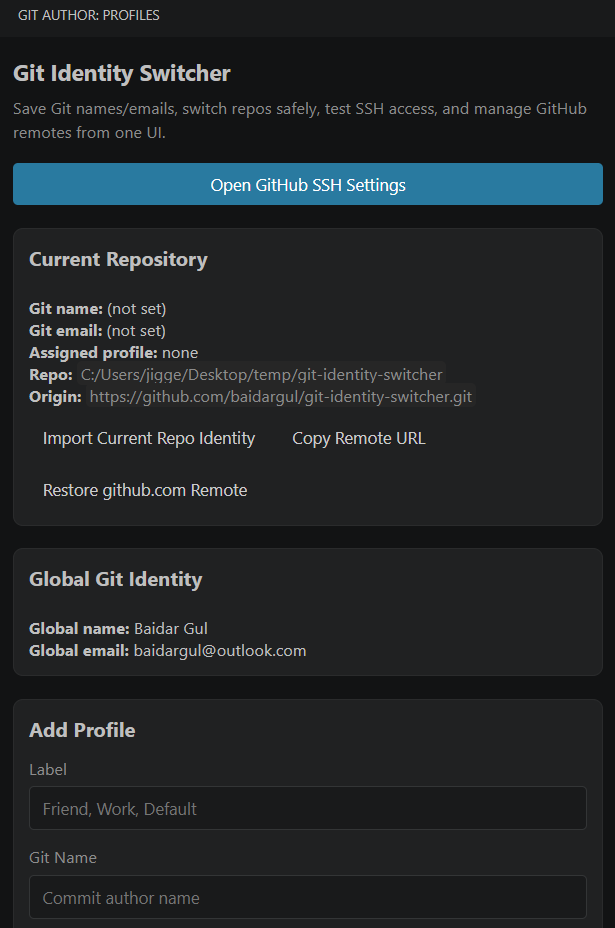
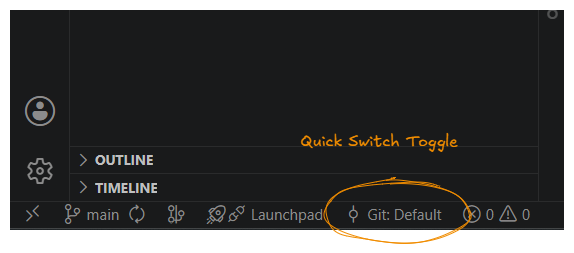
The extension provides a visual dashboard directly inside VS Code where users can create Git identity profiles, assign them to repositories, generate GitHub SSH keys, test authentication, switch remote URLs, and instantly check whether the open repository is using the correct identity. Instead of depending on terminal commands and memory, the user gets a clear and controlled workflow inside their editor.
The Problem
When developers manage multiple GitHub accounts, small configuration mistakes can create serious problems. A personal email address may accidentally appear in a client repository. A company repository may be pushed using the wrong GitHub account. A developer may correctly change the Git commit identity but forget that the remote repository is still connected through another SSH key.
Normally, solving these issues requires multiple manual steps. The developer has to change local Git settings, generate and manage SSH keys, edit the SSH configuration file, update the repository remote, and test whether GitHub authentication is working correctly. These steps are technical, repetitive, and easy to get wrong.
The main problem was not only switching identities. The real problem was making sure the correct Git identity and correct GitHub authentication method remained connected to the correct repository every time the developer returned to it.
🏆 The Solution
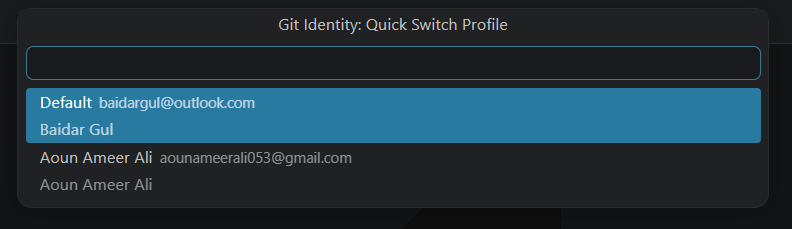
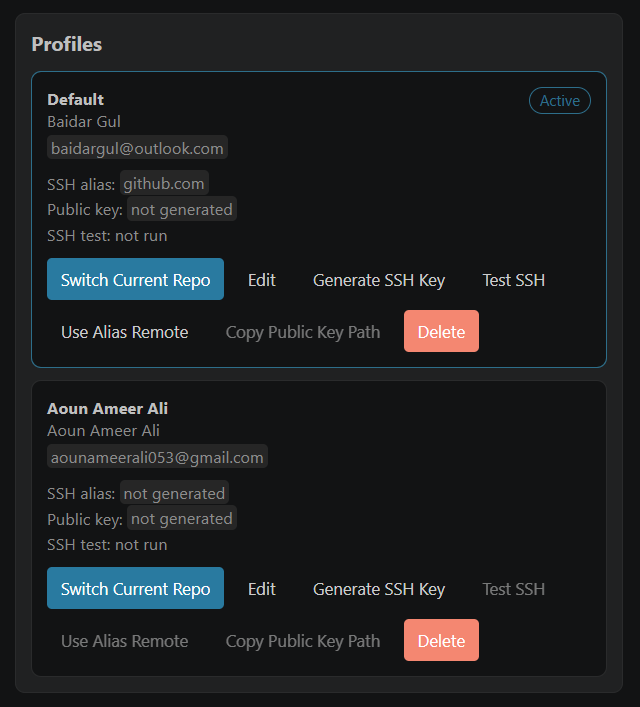
I created Git Author Switchboard as a smart identity management dashboard inside VS Code. The extension allows developers to save multiple Git identities as reusable profiles, such as Personal, Client, Freelance, or Company. A profile contains the Git author name and email address required for commits.
When the user applies a profile, the extension updates the local Git configuration of the currently open repository instead of changing the global identity of the whole machine. This means every repository can safely use its own required identity without affecting other projects.
The extension also supports GitHub SSH account management. Each profile can have its own SSH key and SSH alias, allowing the repository to connect through the correct GitHub account. In this way, the extension handles both sides of the workflow: who creates the commit and which GitHub account performs the push.
Technical Approach
The extension was developed using TypeScript and the VS Code Extension API. It integrates with the editor through a sidebar webview, command actions, status bar messages, clipboard support, workspace trust checks, external GitHub settings navigation, and persistent extension storage.
Git-related actions are performed through standard Git CLI commands. The extension reads and updates repository-level Git configuration, checks the repository root, inspects the origin remote, and compares local identity settings against global identity settings.
Saved profiles, repository assignments, SSH alias details, and authentication results are stored using VS Code extension state. This allows the extension to remember important setup information across sessions while keeping private SSH key files outside the stored application data.
For SSH handling, the extension generates unique key pairs and updates SSH configuration alias blocks without unnecessarily overwriting existing key paths. For remote switching, it includes dedicated logic to safely recognize common GitHub URL formats and convert them into alias-based SSH remotes.
I intentionally used repository-local Git configuration rather than replacing the user's global Git identity. This makes the extension safer for developers who regularly move between personal, client, and company repositories.
I also chose to connect SSH alias management with identity profiles because commit authorship alone is not enough for a complete multi-account GitHub workflow. The remote connection and authentication method must also belong to the correct account.
Useful links
Please click below to download this extension in your Visual Studio Code workspace.